
One-stop finance tracker.
Supercharged by AI.
Meet Sage, a Spenny AI agent — track expenses, budgets, investments, credit cards, and subscriptions in one place.
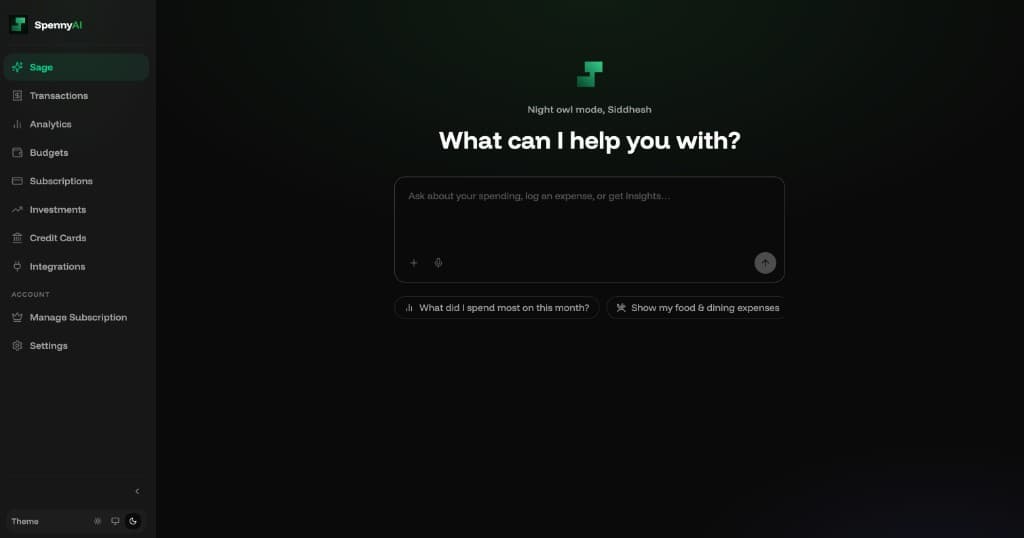
Everything your money needs.
All from one place.
Sage adapts to you — not the other way around.
Log expenses, receipts & statements
Tell Sage what you spent or earned in one message or conversation. Sage extracts multiple transactions, auto-categorises (Food, Transport, Groceries, Salary, Freelance, Investments...) and saves instantly - undo per item if needed.
- Natural language: spent/earned in one sentence
- Voice input — speak naturally
- Receipts & screenshots
- Bank statements
- Smart categorisation

Spent 200 on dinner and 50 for Uber

✓ 2 expenses logged successfully!
Dinner
Food & Dining
Uber
Transport
1 expense extracted from your receipt!
McDonald's
Food & Dining
Ask anything about your finances
Ask Sage about your money and get a clear breakdown. See what changed, why it matters, and the transactions behind the numbers.
- Track spending and income trends over time
- Get a category breakdown that’s easy to understand
- Review the exact transactions behind the numbers
- Ask follow-up questions in the same chat
Total spent
₹27,960
-8%
Transactions
84
+3
Top category
Food
42%
Spending by Category
Export any slice of your data
Export your money data the way you want. Choose a time range and filters, then export in CSV or PDF from Sage.
- CSV export for spreadsheets
- PDF reports with category summaries
- Filter by dates and categories
- Export from your dashboard or chat
CSV Export
All transactions · Mar 2025
PDF Report
Category summary · Q1 2025

Sent to +91 98XX XXXXX
Filters applied
Connect Gmail and auto-sync all your transactions
After you connect Gmail, Sage syncs supported bank and card transaction emails, auto-categorises each entry, and saves it in Spenny.
- One-time Gmail connect in a few taps
- Auto-syncs UPI, salary credits, card spends and all bank alerts
- Supports HDFC, ICICI, SBI, Axis, Kotak, Paytm and more
- Get notified on Telegram and WhatsApp when new transactions are synced


Swiggy
Food & Dining
−₹450
Saved ✓Jio Recharge
Bills & Utilities
−₹239
Saved ✓Set budgets. Sage handles the rest.
Set monthly or weekly budgets per category and stay ahead of overspending. Sage tracks progress and alerts you before you hit your limit.
- Monthly & weekly budgets per category
- Alerts before you reach 80% of the limit
- Progress updates in real time
- Ask Sage how you’re doing anytime
Budget Health — March 2026
Food & Dining
₹2,460 of ₹3,000
Alert sent via WhatsApp
Shopping
₹880 of ₹2,000
On track
Transport
₹1,100 of ₹2,500
On track
Track stocks, mutual funds, and crypto in one unified portfolio
Track your stocks, mutual funds, and crypto in one unified portfolio. Get a quick view of holdings and performance in seconds.
- Unified view across stocks, mutual funds & crypto
- Holdings stay updated for connected accounts
- Clear snapshots of what you own
- Refresh or import when you need new data



Track every card at once — automatically.
Keep every card organized in one place: utilisation, due dates, and what you spent. Preview new spends and import them with a tap when you’re ready.
- One dashboard for every card — utilisation, due dates, and billing cycles
- Spends categorised automatically
- Inbox previews to match card alerts
- Bill-due nudges on WhatsApp & Telegram before due date
Credit Card Vault
Major banks & co-brands


Swiggy
Food & DiningHDFC Swiggy••2667
Uber
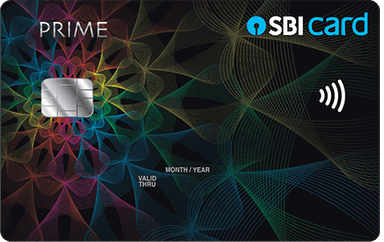
TransportSBI PRIME••1156
Never get surprised by a renewal again.
See recurring charges in one place and know what’s renewing next. Get heads-ups before renewals so you can cancel or plan.
- Auto-detects subscriptions like Netflix, Spotify & Prime
- Subscription cost forecast for the next billing cycle
- Reminders before renewals via WhatsApp, Telegram, or email
- Add or adjust subscriptions manually when needed
Active Subscriptions
₹1,256 / month total
Upcoming Renewals

Netflix
Renews Apr 8
₹649
3d left

Spotify
Renews Apr 12
₹119
7d left

Amazon Prime
Renews Apr 20
₹299
15d left

YouTube
Renews May 1
₹189
26d left
Renewal Reminder · Netflix
₹649 renews in 3 days · sent via WhatsApp
Stay on top — your money at a glance.
Get a daily or weekly spending digest right where you already are. See top categories, progress, and an AI-written summary.
- Daily digest with total spend and top category
- Weekly summary delivered every Sunday
- Budget alerts when you’re approaching your limits
- AI-written insights delivered to your chosen channel
₹8,420
-12% vs last week
Food & Dining
₹3,100 · 37%
Daily summary at 9 PM
Weekly digest on Sunday

Telegram
Instant budget alerts
Privacy & Security
Your data is encrypted.
Every balance, transaction, and token is encrypted field-by-field before it touches the database. Your key never lives in the DB — so a breach exposes nothing readable.
Unlock the full potential
of Spenny.
Hook up WhatsApp, Gmail, Sheets, and the rest — so logging, sync, and alerts run in the tools you already live in.
Telegram
Gmail

Splitwise
Chat to log spend; budget and renewal alerts without opening the app.
Telegram
Log expenses, ask Sage, and get digests in the same thread.
Gmail
Bank and payment alerts become transactions automatically.
Splitwise
Pull in group expenses so your balances stay accurate.

Google Sheets
Every transaction streams to your spreadsheet in real time.

Notion
A live Notion database that mirrors your transactions.

Receipt Email
Forward receipts to [email protected]; Sage logs them for you.
Claude (MCP)
16 Sage tools in Claude Desktop, Cursor, or any MCP client.
Start free. Upgrade when ready.
Sage is free forever. Pro removes all limits and unlocks investments sync, WhatsApp, Gmail sync, exports, and renewal reminders.
Free
Everything to track your finances.
++Pro
PopularUnlock higher limits and premium AI experience.
++++Features
Free
Everything to track your finances.
Pro
PopularUnlock higher limits and premium AI experience.
++++++No credit card required · Cancel anytime · All prices in Indian Rupees (INR)
Common questions
Everything you need to know.